
40% commission on everything we sell.
Your single referral link tracks all three products. Whichever one your audience buys first — you earn on everything they buy after.
$30/user/mo CRM. 40% of every invoice, paid monthly for 60 months. The recurring backbone of your income.

One-time $599 AI CRM migration with patent-pending note extraction. Big single payouts — and migrated customers usually subscribe to the CRM next.
AI tutorial videos — first one free, no credit card. You earn 40% of the $49/mo plan AND every credit pack they ever buy.
Earn $720 per customer you refer.
40% recurring commission, paid every month for 60 months. Promote a CRM people actually want to buy.
$30/user/month pricing · No learning curve · Built-in AI sales agent · 90-day attribution cookie
Powered by Rewardful · Payouts via PayPal or Wise · Net-30
$30/user/mo × 40% × 60 months = $720 per customer
We pay 40% recurring for the entire first 60 months of every customer's subscription. That's not a one-time bounty — it's real, monthly, compounding income.
Math assumes a customer stays subscribed at $30/user/mo for the full 60-month commission window. Real-world average is shorter, but churn-adjusted lifetime payout is still industry-leading for SaaS.
The CRM industry has a trust problem.
The word on the street: people are fed up with slow, bloated, overpriced CRMs they're forced to use but never want to open. We built the opposite of that — and your audience can feel the difference within 60 seconds of opening it.
What you're actually selling
Side-by-side vs the 3 CRMs your audience is most likely already paying for.
Us SalesCrunchCRM $30/user/mo | Them HubSpot Sales Pro Marketing-first | Them Salesforce Enterprise default | Them Zoho CRM SMB low-cost | |
|---|---|---|---|---|
| Monthly price | $30/user — no upsells, no tiers | $90+/seat (Sales Pro) | $80–$300/seat | $20–$60/seat + add-ons |
| Learning curve | Open it and start working. ACT! 4.0 muscle memory works. | Days of onboarding + paid certifications | 2–6 weeks with a consultant | Steep — modules, profiles, picklists |
| Speed at 250k contacts | Instant — production-tested | Slows past 50k records | Custom indexing required | Pagination workarounds |
| AI agent included | Yes — drafts emails, finds stale leads, bulk-with-approval | AI is a paid add-on | Einstein = enterprise tier only | Zia is limited + paid |
| CRM migration support | Free SalesCrunchCRM import + MigrationCrunch sister product | $3,000 onboarding fees common | $10k+ via partner consultancy | DIY or paid concierge |
| Commission to you | 40% recurring for 60 months ($720/customer) | $0–$1,000 one-time per partner tier | No public affiliate program | 10–15% one-time |
Pricing reflects publicly listed rates as of Feb 2026. Hit Print to save as PDF — or Email to send a prospect this comparison instantly.
Zero learning curve
If your audience ever used ACT! 4.0, they already know how to use SalesCrunchCRM. No 4-week onboarding, no certifications.
$30/user/mo
No upsells, no per-seat math, no enterprise quote. The price on the page is the price your referrals actually pay.
Killer AI agent built in
Crunchy drafts personalized follow-ups, finds stale leads, and runs bulk-with-approval email campaigns. Not a chatbot — a real workflow tool.
Fast at scale
250,000 contacts and the page still loads instantly. The big-name CRMs slow to a crawl past 50k records.
How it works
No phone calls, no application gauntlet. You can be live in under 10 minutes.
Sign up
Free application via Rewardful. Most accounts approved same-day.
Get your link
Unique tracking URL + dashboard with real-time clicks, signups, and pending commissions.
Promote
Grab logos, banners, and email swipes from the kit below. Or write your own.
Earn
40% of every referred subscription, paid monthly, for 60 months. Net-30 to PayPal or Wise.
The pitch, copy-paste ready.
Three hooks, the three-line pitch, who's in the bullseye, the numbers that close it, and the four objections you'll hear most. Use any of it, all of it, none of it.
“The CRM for people who escaped ACT! — and can’t stomach Salesforce.”
“You loved ACT! 3.0. You hate the 2026 “enterprise” replacements. Meet SalesCrunchCRM.”
“Fast. Familiar. Built for people who just want their contacts back.”
If you used ACT! in the '90s or 2000s and miss how simple and fast it was: SalesCrunchCRM is the exact same layout and workflow — updated for the cloud, with real-time collaboration, global search, and email sending built in. It opens in your browser. It syncs automatically. It costs $30 per user per month.
Bullseye customers
- Insurance agents, financial advisors, real-estate pros, consultants — anyone whose relationships ARE their business
- Solo operators and small teams (1–25 people)
- ACT! refugees who abandoned the new "ACT! Growth Suite" because it’s a 400-page learning curve
- Salesforce dropouts — the 80% of small businesses paying $150/seat for features they don’t use
Don't pitch them
- Enterprises that need 47 custom objects and SOC2 Type II audits
- Agencies running 50-step automated drip campaigns
- “Growth hackers” who live in HubSpot workflows
The four objections you'll hear most.
Memorize these. They close deals.
“I already have Salesforce.”
What do you actually use 80% of the time? Contacts, activities, a pipeline, a search bar. That’s us — at 1/6 the price, opens 5x faster, and your team can actually use it without a week of training.
“Why not HubSpot?”
Because you don’t need marketing automation. You need to remember that John called Tuesday and promised a callback. That’s a $30 problem, not a $1,200/mo one.
“What happened to ACT!?”
ACT! was acquired, bloated, and priced out of its own audience. We rebuilt the parts you actually used — on modern tech, in the browser, with team sync and email built in.
“Can I migrate my old database?”
Yes. Export your old CRM to CSV, upload it. Contacts, activities, and custom fields come over in minutes. Or use our sister product MigrationCrunch for the messy cases (notes, .dbf files, 250k+ records).
7 problems ACT! users complain about.
We don't have any of them.
Every “7 common ACT! issues” article on Google lists the same seven complaints — they're all symptoms of one architectural decision ACT! made in 1996. We made the opposite one.
ACT! runs slowly — screens take ages, reports lag.
MongoDB on cloud infrastructure with auto-tuned indexes. Server-side pagination. No SQL Server on your desktop to fragment. No plugins to pile up. Performance fixes ship continuously without you doing anything.
“The slow-down problem in ACT! is fundamentally about running SQL Server on a desktop. We removed SQL Server entirely.”
Syncing issues with Outlook, Gmail, or mobile.
Single source of truth. There is one database — no sync to break. Real-time WebSocket updates push changes to every open browser in under a second. Mobile is just the website on a phone. No separate sync engine.
“There’s no sync because there’s nothing to sync. One database, one truth, broadcast in real time.”
Freezes or crashes — won’t open, needs ActDiag.
The "app" is your browser. If your browser works, SalesCrunchCRM works. No service packs, no preferences folder, no database repair tool. "Reset" is a tab reload. Stale-cache protection built in.
“There’s nothing to crash on your machine. Worst case, you reload the tab.”
“Cannot open the database” / “SQL Server not running.”
Database is managed in cloud infrastructure with health checks, auto-restart, and replication. No .ADF file path. Indexes managed automatically. Live System Stats panel lets admins verify health themselves.
“You will never type services.msc again.”
Outlook integration breaks every update — buy Act4Outlook to fix.
Email is built into the product. No Outlook, no plugin, no add-in. Mail merge → personalized send → activity log all happens server-side via Resend. Works identically in Chrome on Mac, Edge on Windows, Safari on iPad.
“Email is a feature, not a third-party add-on you re-buy and re-fix every quarter.”
“You do not have permission to access this record.”
Shared database by default — everyone sees all contacts, which is what teams actually want. Role-based permissions (admin / manager / user) changeable in one click. Public/private contact toggle for sensitive ones. Full audit trail per record.
“Permissions designed for how teams work in 2026, not for a 1996 file-locked database.”
Backups failing — restoring from .ADF and .ALF files.
Automatic infrastructure-level MongoDB backups. Plus a one-click Workspace Backup that exports every admin config (fields, templates, groups) as a JSON file. Audit log preserves contact history per record.
“You will never copy an .ADF file again. Backup is something the system does, not something you do.”
Bottom line: these seven problems all come from ACT! making the customer run a Windows SQL database. We removed that. The problems went with it.
23 features that matter.
Zero you'll never use.
The everything-in-one-place reference. Pitch any one of these as the “hook” for the niche you're writing to.
Contact Card (3-column ACT! layout)
Every contact on one screen — business card, address, status, notes. No hunting through tabs.
Contact List
Sortable, paginated. Handles 250,000+ contacts without slowing down.
Boolean Lookup
8 operators. “Everyone in Texas with ‘Tech’ in their company, not called in 90 days.”
Global Keyword Search
Type anything — find it. Even inside a 3-year-old note.
Activity Log
Every call, email, meeting, note timestamped per contact. Perfect memory.
Recurring Activities
Schedule once, repeats up to 52 instances. Weekly check-ins on autopilot.
Calendar (Day/Week/Month)
Your whole schedule at a glance. Drag, click, done.
Task List
Daily battle plan. What to do, who to call, in priority order.
Sales Pipeline (Kanban)
6-stage drag-and-drop. See every dollar in motion.
Relationship Mapping
Link contacts (colleague, manager, referral, vendor…). “Who referred this client?” one click.
Groups
Customers, prospects, event attendees. Mail merge a group in one click.
Custom User Fields (6 renameable)
Bend the CRM to your industry. Insurance? Rename to “Policy #”.
Reports (5 types)
Contact, Phone List, Directory, Activity History, History Summary. Print-ready, 2 clicks.
Templates with merge fields
Write it once. Send it 1,000 times — personalized.
Bulk Mail Merge + Send
ACT! 4.0 mail merge, except it actually ends up in inboxes.
Label & Envelope Printing
Avery 5160/5161/5162/5163 labels. #10/A2/A7 envelopes. Holiday cards write themselves.
Real-Time Collaboration
See teammates editing live. No more “who has the latest on this account?”
Shared Database (ACT! 4.0 style)
Everyone sees everything. Private toggle on individual contacts for sensitive ones.
Quick Add (Cmd/Ctrl+K)
New prospect calls — you’re typing before they finish saying their name.
Import / Export (CSV)
Switch in an afternoon, not a quarter. Free CSV import from any CRM.
Role-Based Access
Admin / Manager / User. Your assistant can’t accidentally delete the CEO’s contacts.
Google Sign-In
One click. No new password to remember.
Email Sending (Resend)
Send personalized emails one-off or bulk. Auto-logs to activity history.
No “features” you'd need a consultant to configure.
Salesforce and HubSpot users notice the absence within five minutes — and they're relieved.
- Opportunity scoring you need a consultant to configure
- 47-field custom object builder
- $30/mo per-seat plugin marketplace
- Workflow rules that take a week to set up
- Einstein AI you didn’t ask for
The AI sidekick competitors
can't copy.
Most CRMs bolted on a chatbot, named it something generic, and fed it the same internet ChatGPT already has. Crunchy is different. Here's exactly how.
User: “I can't type in the contact field — the spacebar doesn't work.”
“Sorry to hear that! Click ‘Need a human?’ below.”
“Weird — let's narrow this down. Does the spacebar work in the Company field right below Contact? If yes, this is isolated to that one input — likely a controlled-input bug. Quick workaround: type the name in Company, cut, paste into Contact. Either way, click ‘Need a human?’ and I'll make sure they get the full picture.”
The difference between AI that talks at you and AI that thinks with you.
He knows the product cold.
Fed a curated knowledge base every conversation. Knows exactly which features exist, where they live in the sidebar, the actual prices, the actual refund policy. When he doesn’t know, he says so.
He has hands, not just a mouth.
Searches contacts, finds stale leads, schedules calls, drafts + sends bulk emails with your approval. One chat command replaces 30 minutes of CRM busywork.
He thinks one step further.
Reproduce → workaround → hypothesize → escalate. Not "click ‘Need a human?’ below" — actual diagnosis like a senior support rep.
He streams answers in real time.
No 15-second spinning circle. Words flow as he generates them. Same total time, dramatically better feel.
He escalates cleanly to humans.
Hit "Need a human?" → entire transcript auto-sent to support. They show up already up to speed. No "let me catch up on your case" delay.
He respects your monthly budget.
150 messages/month included free. No surprise bills, no per-token gouging. Crunchy warns you cleanly when you’re near the limit.
VC-backed startups charge $100s/month to wire third-party “AI employees” onto clunky CRMs. SalesCrunch ships them inside the $30/user/mo workspace.
Pre-Call Briefs
Open a contact with a meeting today and Crunchy has already read the file — who they are, where you left off, and a suggested opening line, right on the contact card.
GhostBuster
Deals with no touch in 14 days get flagged on the pipeline, and Crunchy drafts the re-engagement email from your own notes. One click to the composer. No “just checking in.”
We won't let him lie.
If he doesn't know, he says so and escalates.
We won't charge per token.
150 messages/month included, period.
We won't sell chat data.
Conversations are private. Nothing feeds model training.
SalesCrunchCRM media kit.
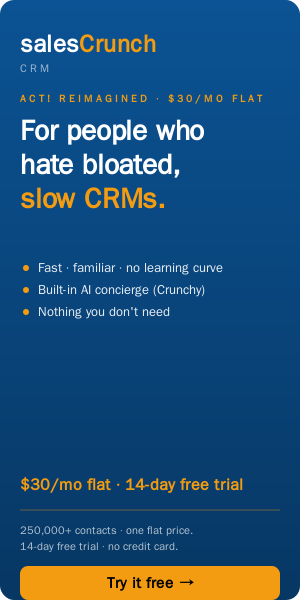
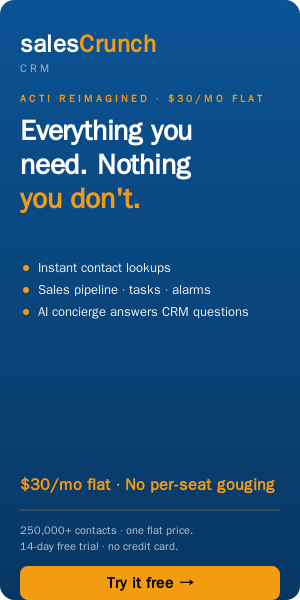
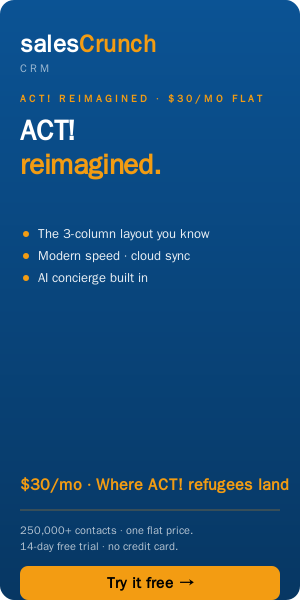
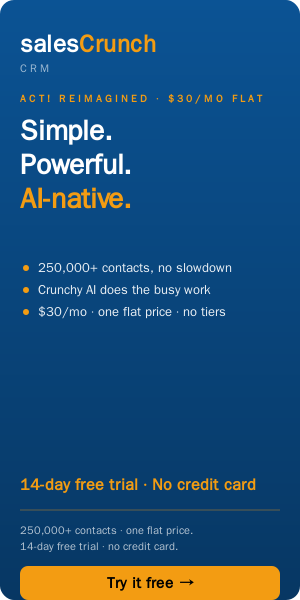
Pre-made logos, banners, copy, and the 4 marketing pieces above packaged as HTML files. Click any file to download. Public URLs — share them anywhere.
TIP The kit zip now includes an index.html — unzip and double-click it to browse the whole kit in your browser.






 Brand assets
Affiliate recruitment banners
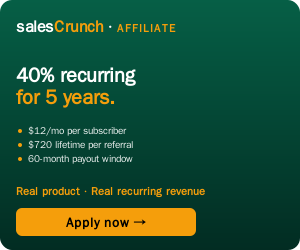
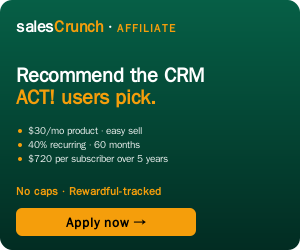
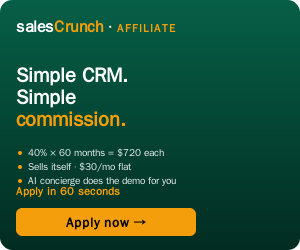
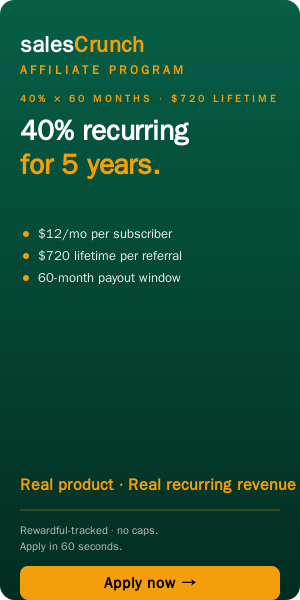
Paste these on your own site, YouTube description, or Reddit posts to recruit sub-affiliates. Every subscriber they land is $12/mo × 60 months = $720 lifetime to them (and to you, if Rewardful sub-affiliate credit is on).



Facebook social assets
Facebook crops images weirdly if you use the wrong size (profile = circle crop, cover = mobile edge crop). These are pre-sized exactly to Meta's specs so nothing gets cut off. Upload as-is.

Save / email / print the 4 marketing pieces
Brand guidelines: brand-guidelines.html · Need a format we didn't include? Email affiliates@migrationcrunch.com
The easiest referral in SaaS: the first video is free.
VideoCrunch makes AI tutorial videos recorded on the customer's real software, with machine-verified narration (patent pending). Their first video costs nothing — no credit card — so your audience actually clicks. Then you earn 40% of everything they ever spend: the $49/mo plan and every credit pack, for 60 months.
40% of every monthly invoice, month after month, for up to 60 months per customer.
Credits never expire, so customers keep topping up — and every top-up pays you 40%. No caps.
First video free, up to 2 minutes, no credit card. Promote a genuine freebie — the product converts from there.
- • SaaS YouTubers & newsletter writers — every software company in your audience needs tutorial videos and hates making them
- • Dev-tool communities — videos regenerate when the UI changes; the scripts double as end-to-end tests
- • Agencies & onboarding consultants — deliver client tutorial libraries without recording a single take
Ready-made display banners — click any to open full-size, right-click to save. Retina versions: add @2x before .png.












Existing affiliates: your current link already tracks VideoCrunch purchases. Nothing to set up.
Earn $239.60 every time someone switches CRMs.
MigrationCrunch is a one-time-purchase AI CRM migration tool with patent-pending note extraction — $599, done in minutes, no close #2 in the market. You keep 40% of every sale. And because migrated customers usually subscribe to SalesCrunchCRM next, your 40% recurring kicks in on top — same link, same customer, both payouts.
Already a SalesCrunchCRM affiliate? You're in — your existing link tracks MigrationCrunch sales automatically.
- • Minutes to run — not the 2-week consultant nightmare
- • 99% accuracy on structured + unstructured fields
- • Free tier: 50 contacts with full AI note extraction — buyer sees it work on their own data
- • Crunchy AI concierge walks the buyer through the whole migration
- • Cheaper than every competitor doing anything close
- • $599 × 40% = $239.60 per referred sale, paid once
- • IT consultants: stop charging $5k for migrations that take weeks — refer the $599 tool, keep the relationship, collect the commission
- • Cross-sell built in: if they then subscribe to SalesCrunchCRM ($30/user/mo), you also earn $12/mo for 60 months from the same customer
- • 90-day cookie · Net-30 payouts via PayPal or Wise
MigrationCrunch media kit
Whether or not we launch a formal affiliate plan, if you're writing about MigrationCrunch (podcast, Reddit, blog, newsletter, YouTube) — grab the logos and banners below. No permission required. Just don't change the wordmark.













 Brand assets






Affiliate FAQ
Common questions. Anything missing — email affiliates@migrationcrunch.com.
Q.How exactly does the $720 per customer math work?+
Q.What's the cookie duration?+
Q.How and when do I get paid?+
Q.What happens to my commission if my referral asks for a refund?+
Q.Can I run paid ads on Google / Facebook?+
Q.Do I need a website or audience?+
Q.Does one link really cover all three products?+
Q.Can I promote MigrationCrunch too?+
Q.How do VideoCrunch commissions work?+
Q.What can I NOT do?+
Q.I have a question that's not here.+
Full legal terms: Affiliate Program Agreement
Promote a CRM people actually thank you for.
Most affiliate programs ask you to sell something complicated to people who don't want it. We're asking you to point fed-up users toward the simple, fast, AI-powered CRM they've been waiting for.
Apply free — get your linkQuestions before you sign up? affiliates@migrationcrunch.com