We use essential cookies to make our site work. With your consent, we may also use non-essential cookies to improve user experience and analyze website traffic. By clicking “Accept,” you agree to our website's cookie use as described in our Cookie Policy. You can change your cookie settings at any time by clicking “Preferences.”

A full tour, no salesy nonsense

Here's exactly what happens
from upload to clean CSV.

Nine screens, in order. About a 2-minute read — and roughly the same time it takes to actually run the tool end-to-end. If anything here's unclear, email Chip.

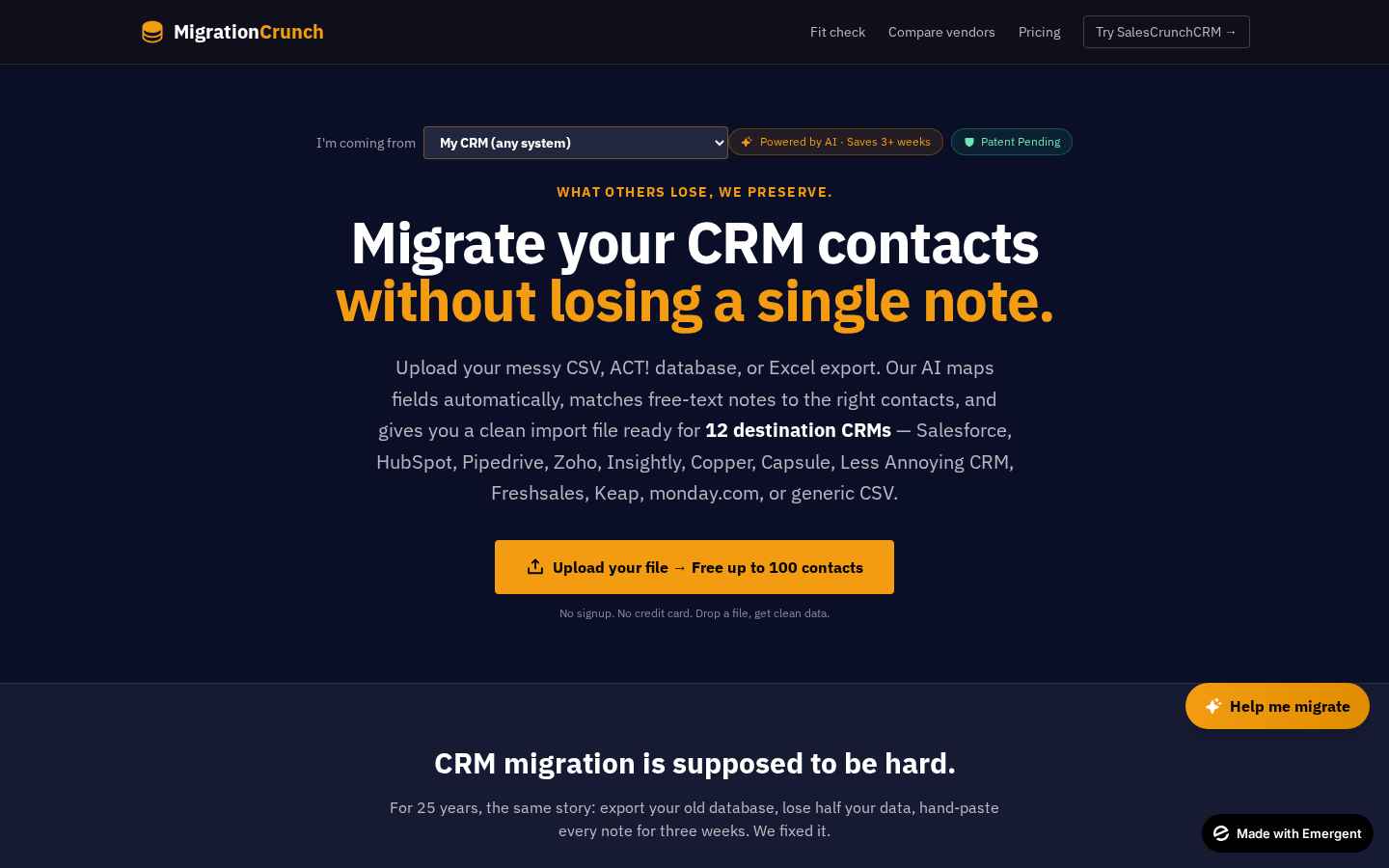
MigrationCrunch homepage hero
1

Land on the homepage

Pick where you're coming from in the dropdown — ACT!, Goldmine, Outlook, Excel, Salesforce, whatever. The headline and the rest of the page reshape themselves to your situation, so the copy makes sense for your CRM mess, not a generic one. No signup. No credit card. You're just looking around.
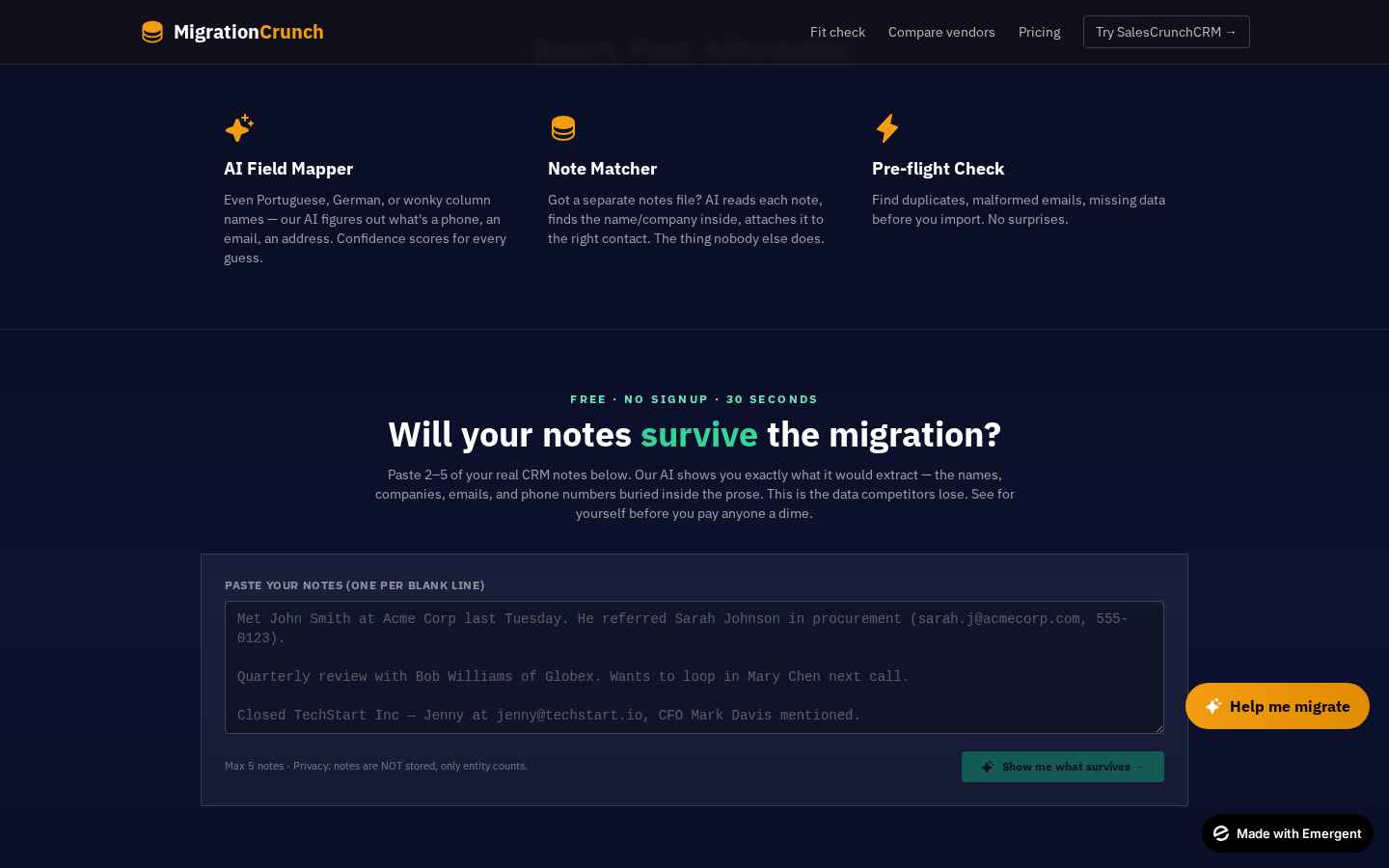
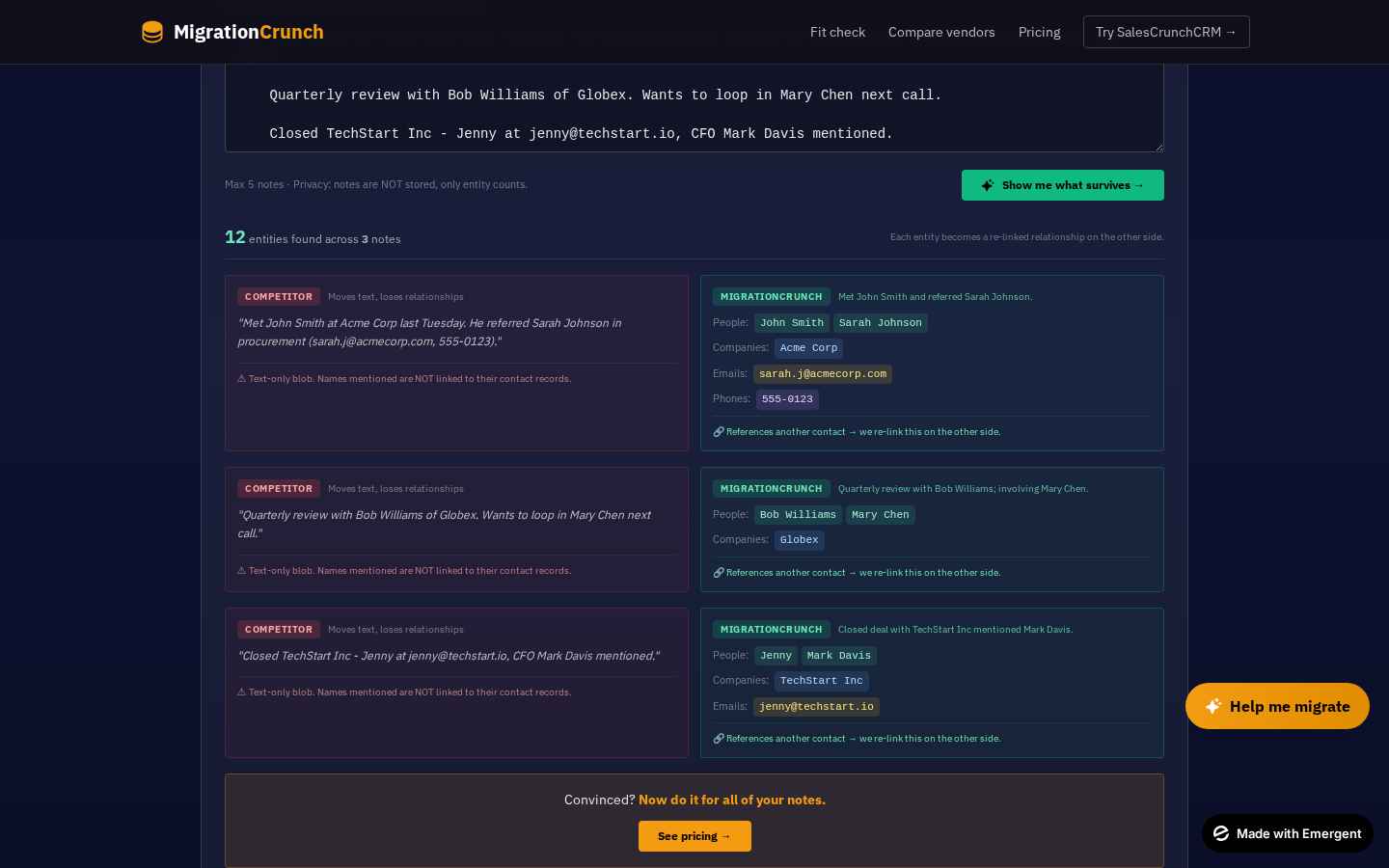
Free preview tool — upload your file
2

Drop your file into the free preview

Hit the big amber button and drop in your export — .csv, .xlsx, .dbf, even an old ACT! database. The first 100 contacts run free, so you can see exactly what we do before paying a dime.

AI extraction results — notes recovered
3

Watch the AI re-stitch your notes

This is the magic part. Our AI reads every free-text history entry — meeting notes, hand-typed phone logs, "left voicemail Tuesday" — and figures out which contact each one belongs to. You'll see a live count of contacts found, notes recovered, and a preview of a few records so you know it's working before you pay.

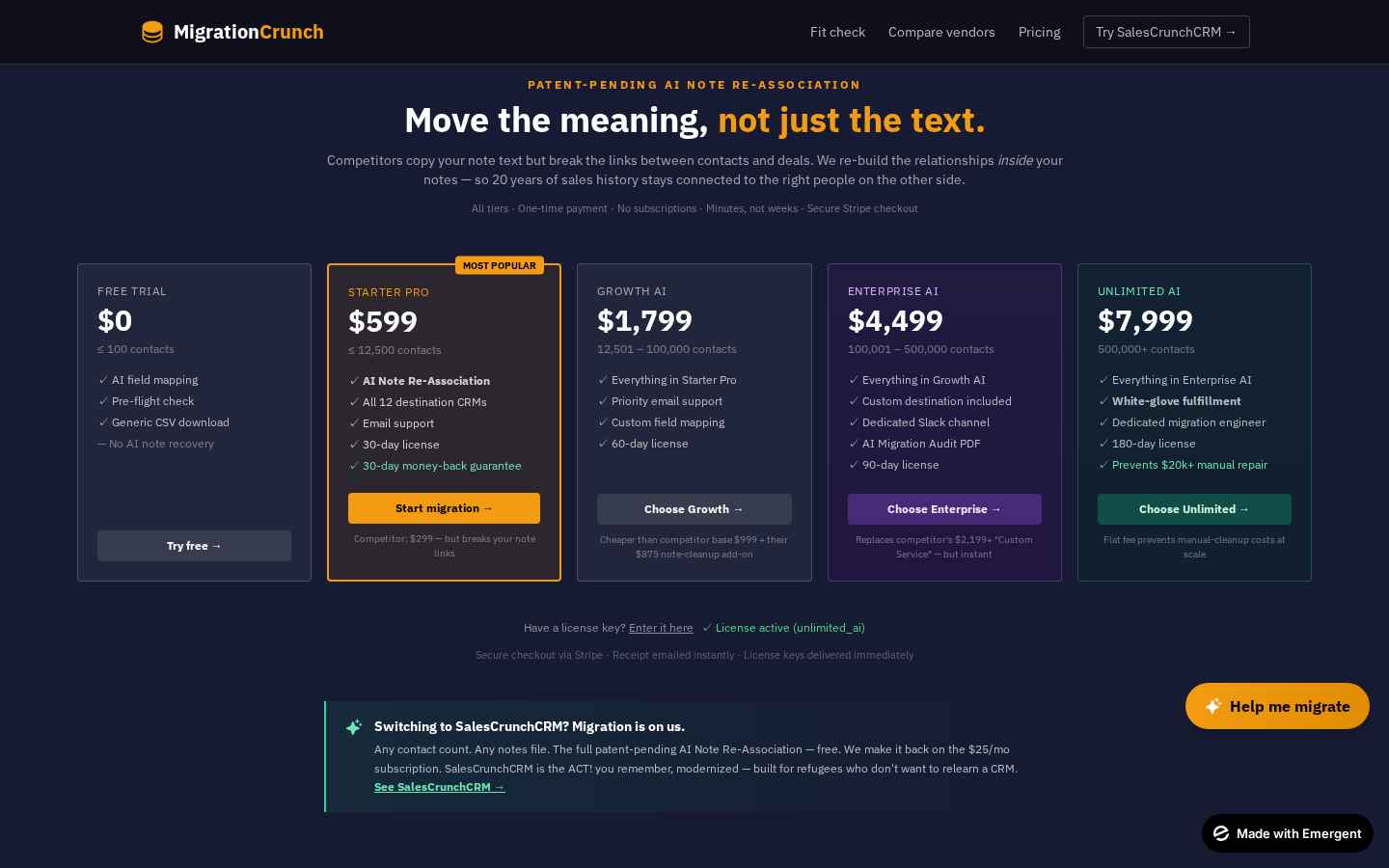
Pricing tiers
4

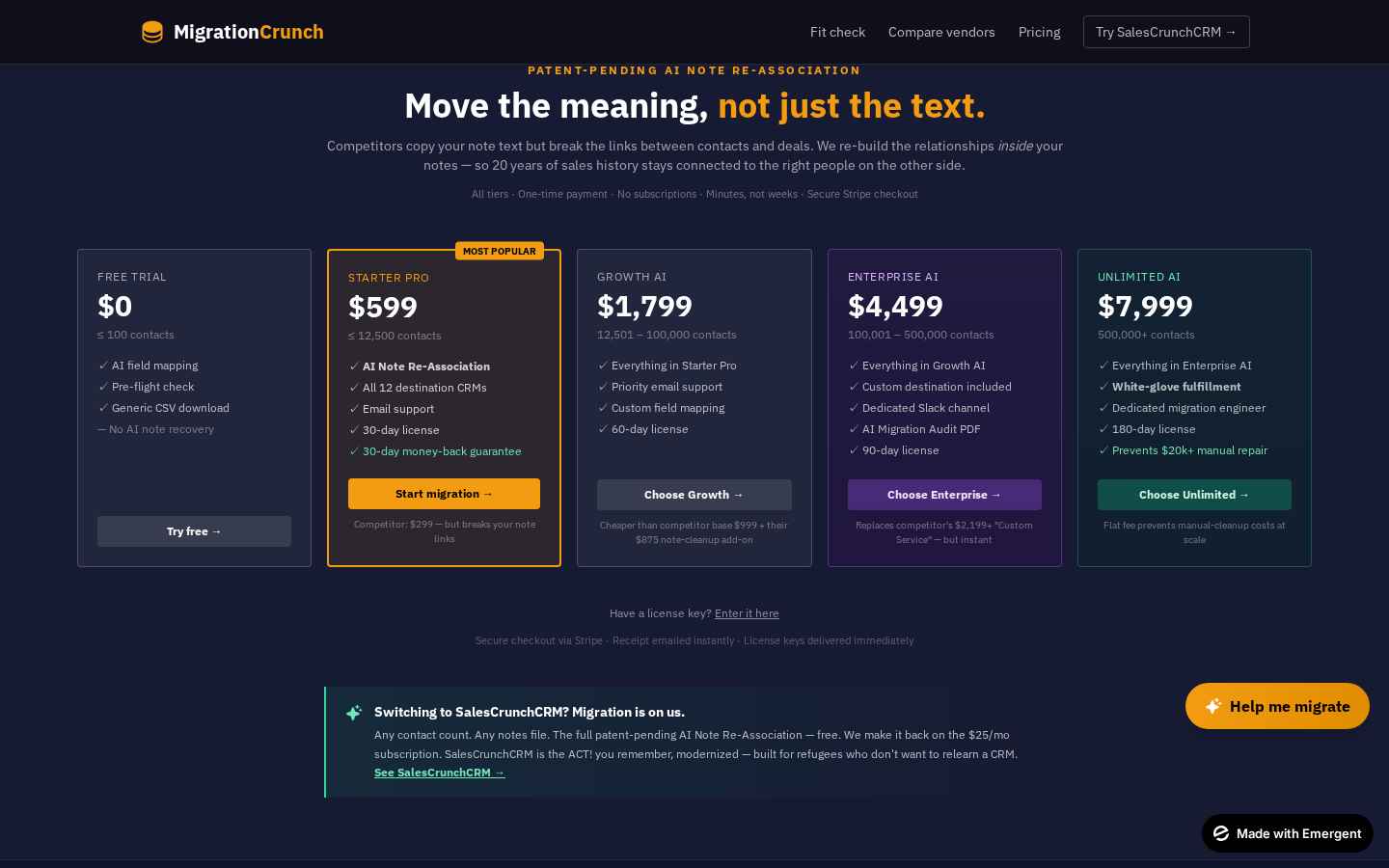
Pick a tier that fits your file size

Five tiers, one-time price, no subscription. Just pick the one that covers your contact count — Starter, Growth, Pro, Enterprise, or Unlimited. If you're on the fence, hit Fit Wizard and answer three questions; we'll tell you exactly which tier to grab.

Stripe checkout
5

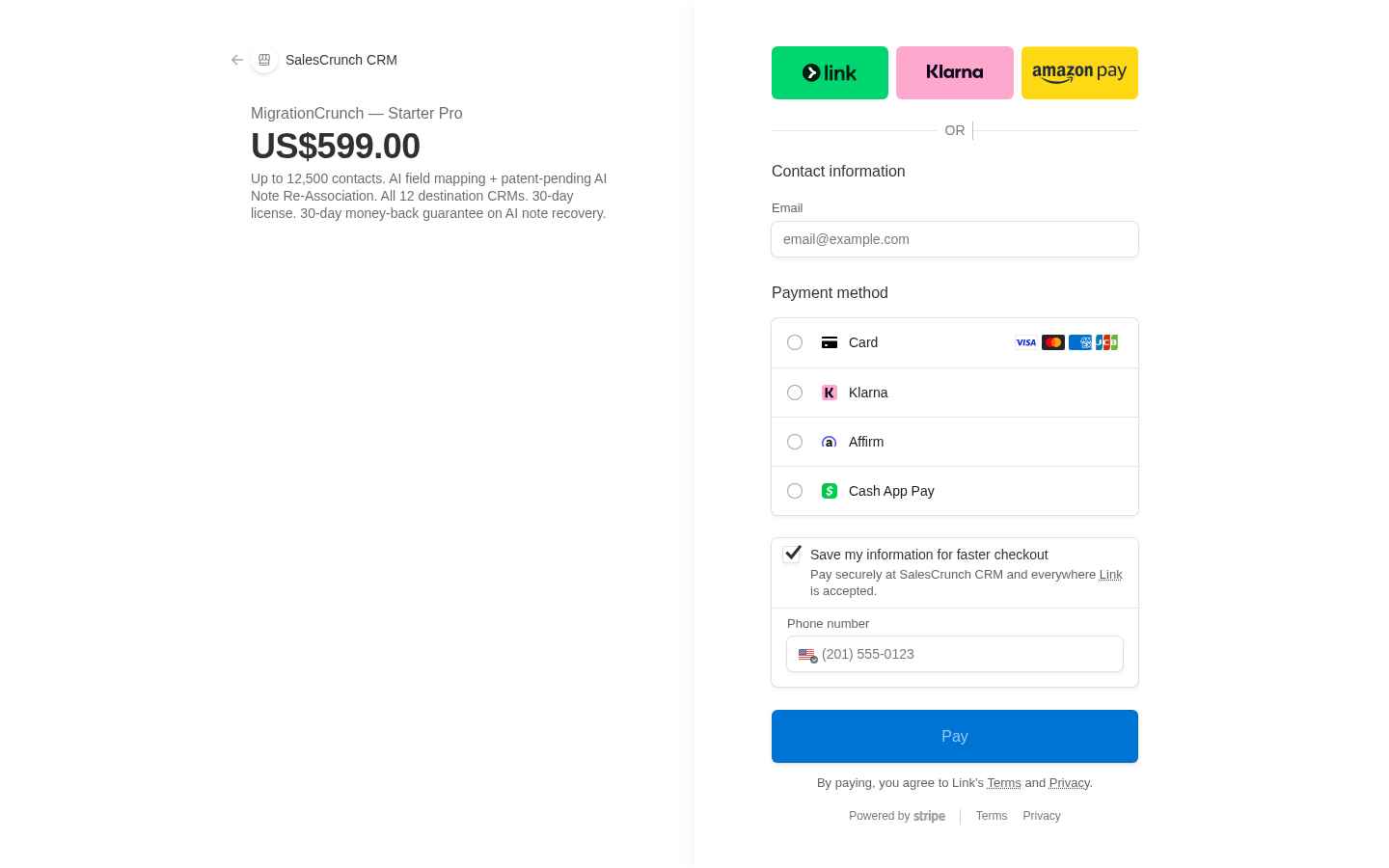
Pay through Stripe — same as everywhere else

Click your tier and you're bounced over to a hosted Stripe checkout. Card, Apple Pay, Google Pay — whatever's normal. No sketchy form on our side, no card numbers ever touching our servers. 30-day money-back guarantee if the AI note recovery doesn't work on your data.

Email confirmation gate before Stripe
5a

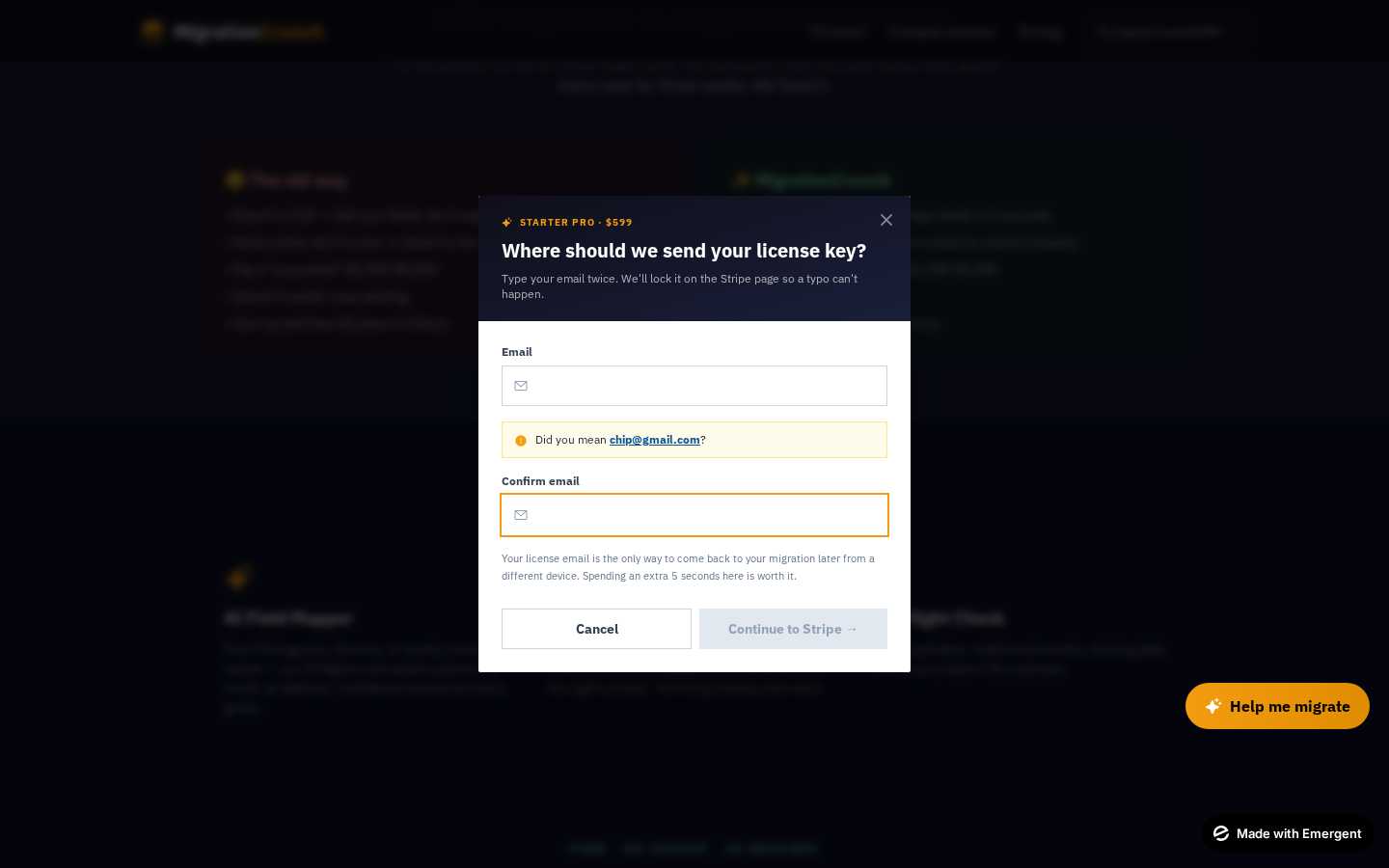
Confirm your email — twice

Right before Stripe loads, we ask for your email twice. Yes, it's annoying. It exists because one typo (gnial.com instead of gmail.com) means your license key gets emailed to nobody. We'd rather catch it now than untangle it later.

License key email delivery
6

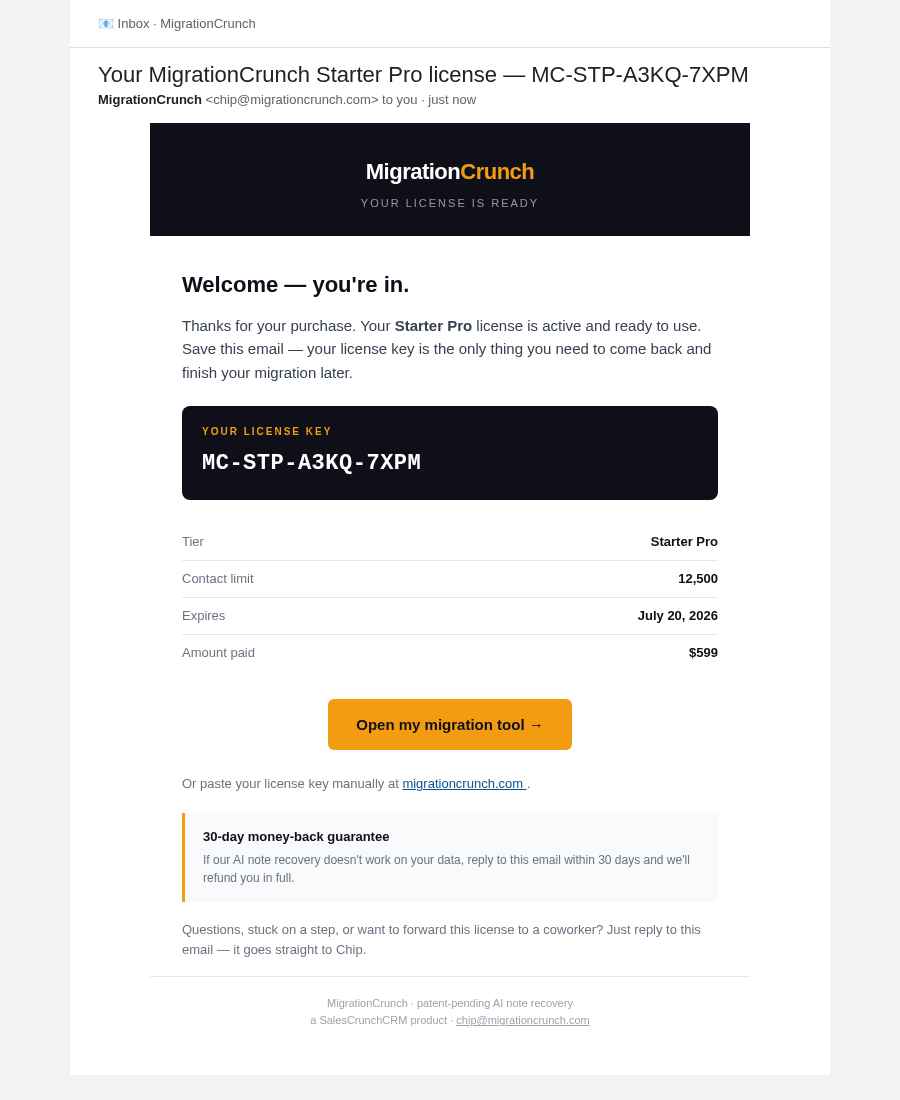
License key lands in your inbox

Within about 30 seconds of paying, an email shows up from chip@migrationcrunch.com with your license key and a one-click button back into the tool. Save the email — it's your receipt and your re-login link rolled together.

License active — back inside the tool
7

You're back inside, unlocked

Click the link in the email and you're back where you left off — same file, same preview — except now the 100-contact cap is gone and the full run is queued. You'll see a green "License active" badge in the corner. If you ever lose the email, just paste the license key into the box manually.

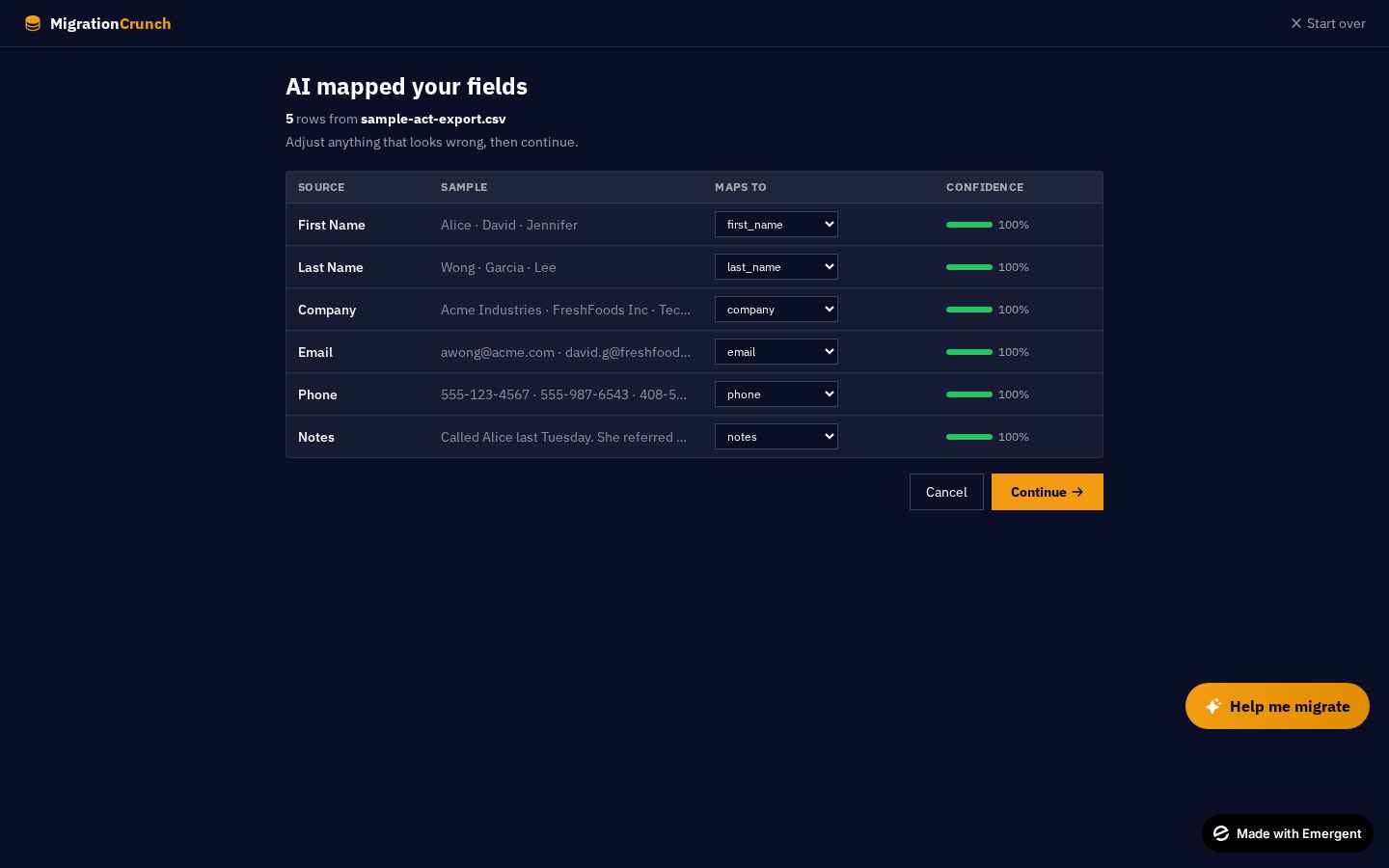
AI-mapped fields
8

Confirm the field mapping

The AI has already done the hard part — figured out that CONTACT is "Full Name", PHONE1 is "Work Phone", etc. (Anyone who's done an ACT! export knows this is the painful part.) Scan the suggestions, override anything that looks off, and hit Continue.

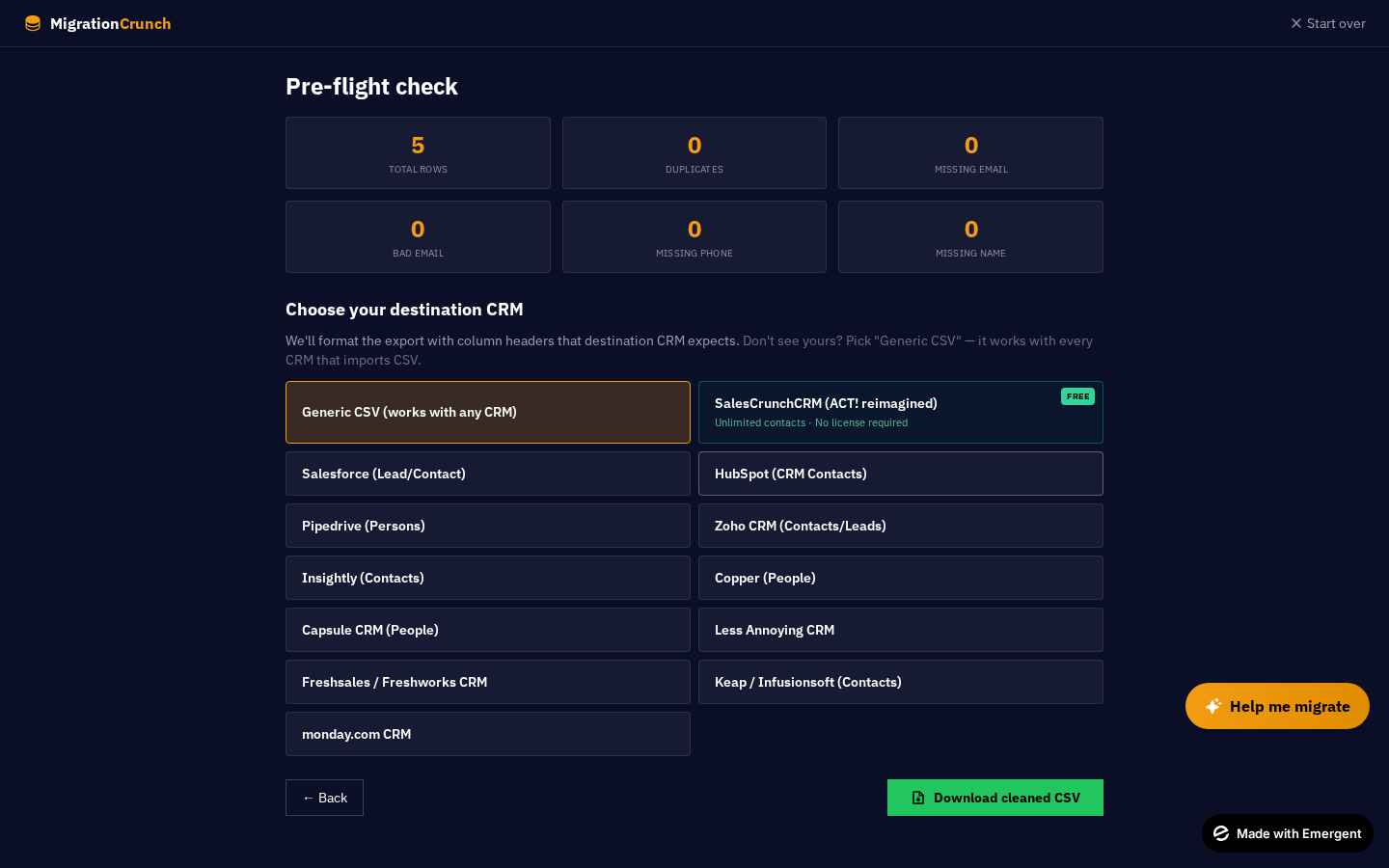
Pre-flight and download CSV
9

Pre-flight & download your clean CSV

Almost done. The Pre-flight screen shows you exactly what's in your file — total contacts, total notes recovered, and a sanity check on the mapping. Spot-check a few records, then hit Download CSV.

Your file is now perfectly formatted for the CRM you're moving to — Pipedrive, HubSpot, Zoho, Salesforce, Monday, you name it. Just import the CSV in your new CRM and you're live.

Stuck or something looks off? Reply to your license email — Chip personally answers within a few hours.

That's the whole thing.

No phone calls, no implementation specialist, no $5,000 invoice. Drop your file in, see what we recover, and pay only if it actually solves your problem.

Curious what you'll save vs an agency? Try the savings calculator →

No signup. No credit card. 30-day money-back guarantee.

Once your data is clean, you'll need somewhere to put it. See SalesCrunchCRM in action →

Made with Emergent